The "my ride is here" broom trend · One photo in
AI Flying Broom
Upload one photo. AI puts you on a quiet street at dusk with a straw broom floating beside you, then films the rest: you swing a leg over, the broom lifts off, and you glide over the rooftops toward the full moon. 7 seconds, vertical, with sound.
- Your face and outfit from the photo
- Dusk street, full moon, lift-off
- No CapCut template needed
7-second vertical video with sound. Failed renders are refunded.
01Made with this generator
From One Photo to the Opening Shot
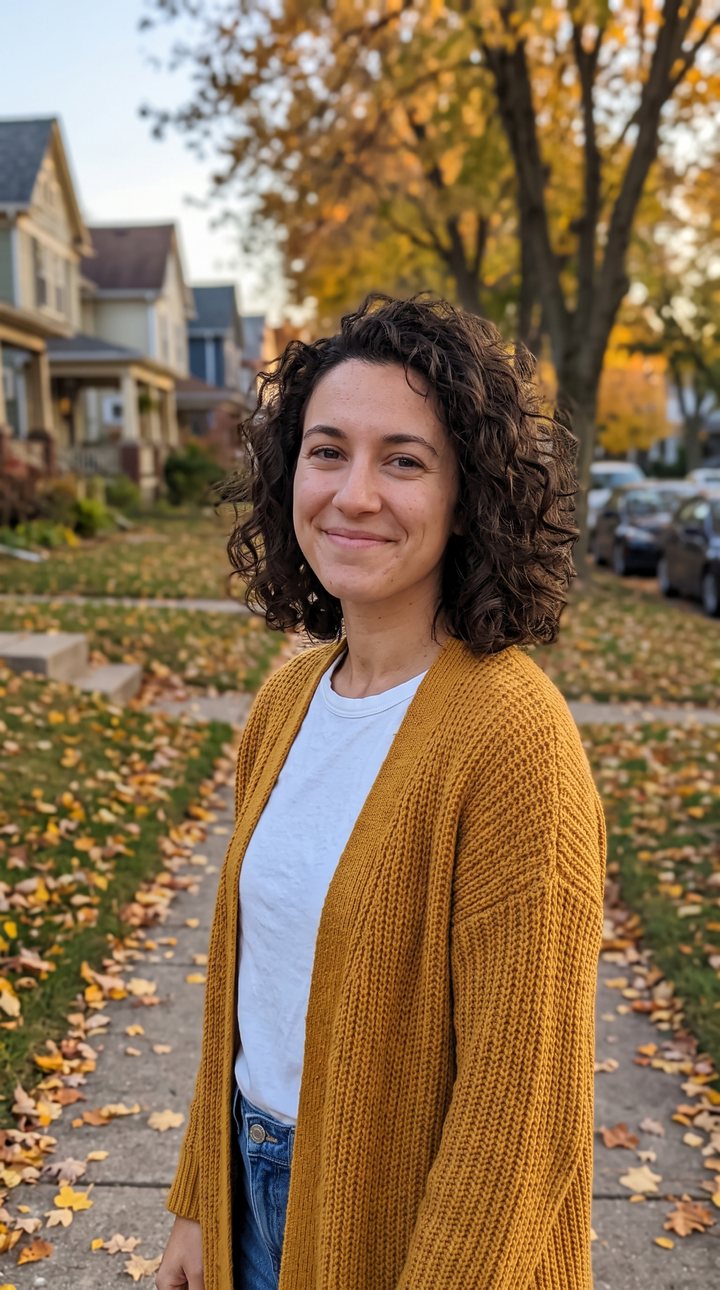 Your photo
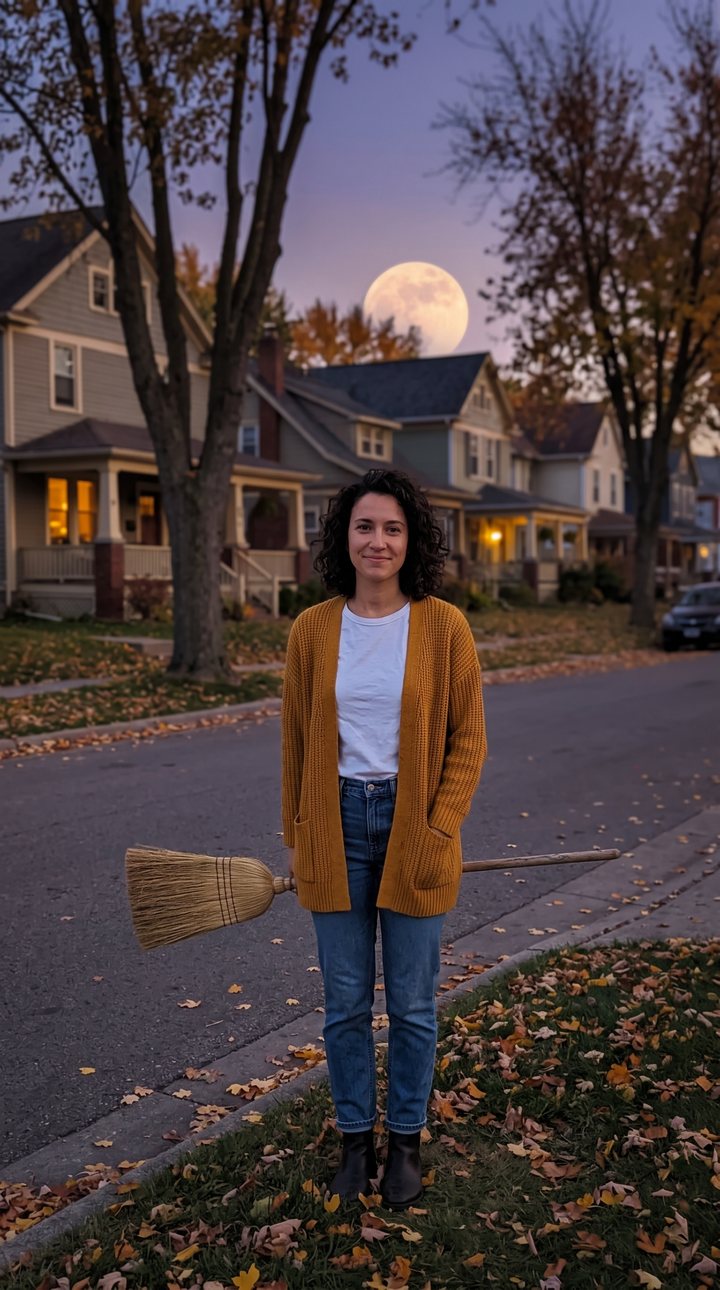 Opening frame
An afternoon portrait to a moonlit street
The photo that went in, and the opening frame drawn from it: the same face, mustard cardigan and jeans, now on a suburban street at dusk with a straw broom hovering at her side. The video plays the hop-on and the flight from this frame.
02The trend
What Is the Flying Broom Trend?
The flying broom trend is a Halloween-season TikTok edit in which a broom floats up next to someone, they climb on and fly off into the night sky. Its best-known version is the "My Ride Is Here" CapCut template, usually set on a suburban road at dusk, and creators share tutorials showing that one photo is enough to make it.
This generator makes the same moment from your own photo, without the app or the template. An image model first draws you on a dusk street with the broom hovering beside you, keeping your face and outfit, then a video model films you hopping on and flying over the rooftops toward a full moon, with the whoosh and the wind rendered in.
The broom is a plain straw household broom, not a prop from any film, and nothing in the clip is scary, so it works for a Halloween post, a costume reveal or a "see you later" goodbye.
03How to make it
How to Do the Flying Broom Trend From a Photo
- 01
Upload a photo
One clear photo of one person, ideally half-body or full-body so your outfit carries into the scene. JPG, PNG or WEBP; it is cropped to vertical 9:16.
- 02
Generate
The dusk-street opening shot is drawn first, then the lift-off is filmed. About 3 to 8 minutes; you can leave the page.
- 03
Download and post
A 7-second, 720p vertical MP4 with sound, ready for TikTok, Reels and Shorts. Add the trend's sound when you post.
04Why this generator
The Broom Ride, Made From the Photo You Already Have
No app, no template
It runs in the browser on your phone or computer. You do not need CapCut or to film anything.
You, not a stand-in
The opening frame is drawn from your photo, so the face, hair and clothes on the broom are yours.
The whole move in one clip
Hovering broom, hop-on, lift-off and the flight past the moon, in one continuous 7-second shot.
Pay per video, refunded on failure
142 credits, shown on the button before you start. If a render fails, the credits go back automatically.
05Template or AI
Flying Broom: This Generator vs. the CapCut Template
- What you needOne photo, in a browserThe CapCut app and the template
- Your face and outfitDrawn from your photoDepends on the template
- SoundWhoosh and wind rendered with the clipAdd the sound yourself
- Output7-second 9:16 MP4 at 720pThe template's length
- Cost142 credits per videoFree or CapCut Pro
06Questions
AI Flying Broom FAQ
Upload one photo and generate. AI puts you on a dusk street beside a floating broom, then films you hopping on and flying toward the full moon: a 7-second vertical video with sound.
No. This makes the broom ride from your photo in the browser, with no app and no template.
142 credits per video. The Weekly Pass ($6.99, 150 credits, cancel anytime) covers one, or a one-time $9.99 pack gives 250 credits. Failed renders are refunded.
No. The broom is added. Just upload a clear photo of yourself; half-body or full-body works best.
Not in this effect: it is built for one person per photo. Make one clip each and cut them together.
No. The clip has its own wind and whoosh sound; add the trend's sound in TikTok when you post. We do not host the original song.
Usually 3 to 8 minutes. The video waits in your list if you leave the page.
07More effects
More One-Photo Videos
Other effects made from one photo.