Halloween transformation · One photo in
AI Werewolf Transformation
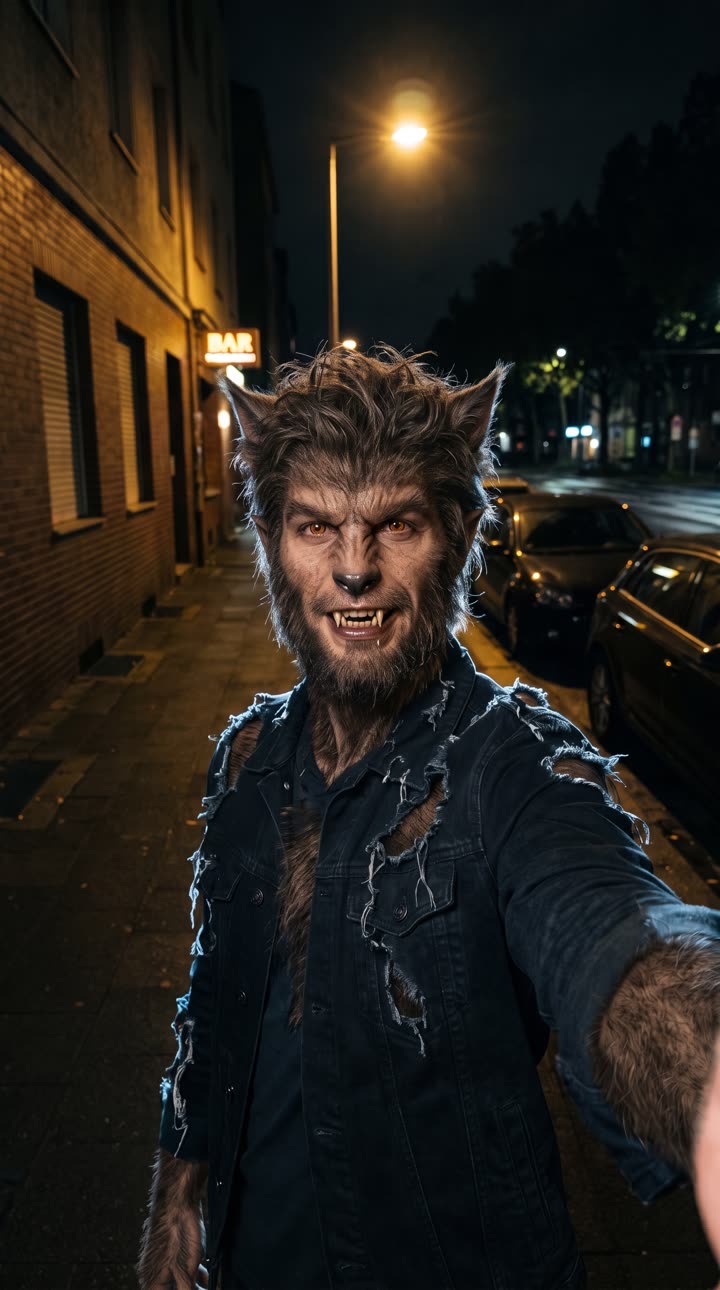
Your photo is the first frame. AI draws the same shot with you as a werewolf, then films the change between them: fur spreading, the jaw stretching into a muzzle, the eyes flashing amber, a howl at the end. 7 seconds, vertical, with sound.
- A real morph, not a cut
- Bones cracking, growl and howl
- Starts on your own photo
7-second vertical video with sound. Failed renders are refunded.
01Made with this generator
From Your Photo to Your Werewolf
 Your photo
 Result
Night street selfie
The photo that went in, and the werewolf frame drawn from it: same street, same lamp, same jacket (now torn), fur in his hair colour. The video morphs from the first to the second.
02The effect
What Is the AI Werewolf Transformation?
The werewolf transformation is one of the oldest Halloween edits on TikTok: the "alpha wolf" filters of 2021 and 2022 put wolf ears and eyes on a live face, and every October since, people post themselves turning into a werewolf for Halloween.
AI video made it a real transformation, but the common single-prompt versions tend to fail one of two ways: the person stays human with a pair of fangs, or the clip cuts to a generic wolf that looks nothing like them. This generator fixes both by planning the shot in two steps. First an image model draws your exact photo with you as a werewolf (same pose, background and framing). Then the video model films the change from your photo to that frame, so it starts as you and ends as your werewolf, with no cut.
03How to make it
How to Make an AI Werewolf Transformation Video
- 01
Upload one photo
A clear photo of one face, looking toward the camera. JPG, PNG or WebP; it is cropped to vertical 9:16. Night or moody light fits best.
- 02
Generate
The werewolf frame is drawn first, then the transformation is filmed between your photo and it. About 3 to 8 minutes; you can leave the page.
- 03
Download and post
A 7-second, 720p vertical MP4 with sound: bones cracking, a heartbeat, a growl that rises into a howl.
04Why this generator
A Werewolf Transformation That Still Looks Like You
First frame to last frame
The clip is pinned to your photo at the start and to your werewolf at the end, so it transforms instead of cutting away.
Sound included
The cracking, the heartbeat and the howl are rendered with the picture, so it plays with the sound on.
No app, no template
It runs in the browser. One photo is all it needs.
Pay per video, refunded on failure
142 credits, shown on the button. A failed render returns the credits automatically.
05Questions
AI Werewolf Transformation FAQ
Upload one clear photo of your face here and generate. AI draws you as a werewolf in the same shot, then films the transformation from your photo to that frame: a 7-second vertical video with sound.
No. It costs 142 credits per video. The Weekly Pass ($6.99, 150 credits, cancel anytime) covers one, or a one-time $9.99 pack gives 250 credits. Failed renders are refunded.
Yes, as much as a werewolf can. The werewolf frame is drawn from your photo with the same pose and background, and the fur follows your hair colour.
Yes. Bones cracking, a speeding heartbeat and a growl that turns into a howl are rendered with the video.
Only with their permission, which you confirm before each render.
Usually 3 to 8 minutes. The video waits for you in your list if you leave the page.
No. It is a creature transformation, not a gore effect, so it is fine to post on TikTok, Reels and Shorts.
06More effects
More Halloween Transformations
Other one-photo videos for Halloween.