Halloween 2026 · One photo in
Halloween Transformation Video Maker
The Halloween transformation used to take makeup, a costume and a jump cut. Now it takes one photo: pick zombie, werewolf, pumpkin head or ghost bride, and the video starts as you and ends as the monster, in one continuous 7-second shot with sound.
- Six Halloween effects
- Real morph from your photo
- Sound built in
7-second vertical video with sound. Failed renders are refunded.
01Made with this generator
Halloween Transformations: The Photo and the Result
 Your photo
 Result
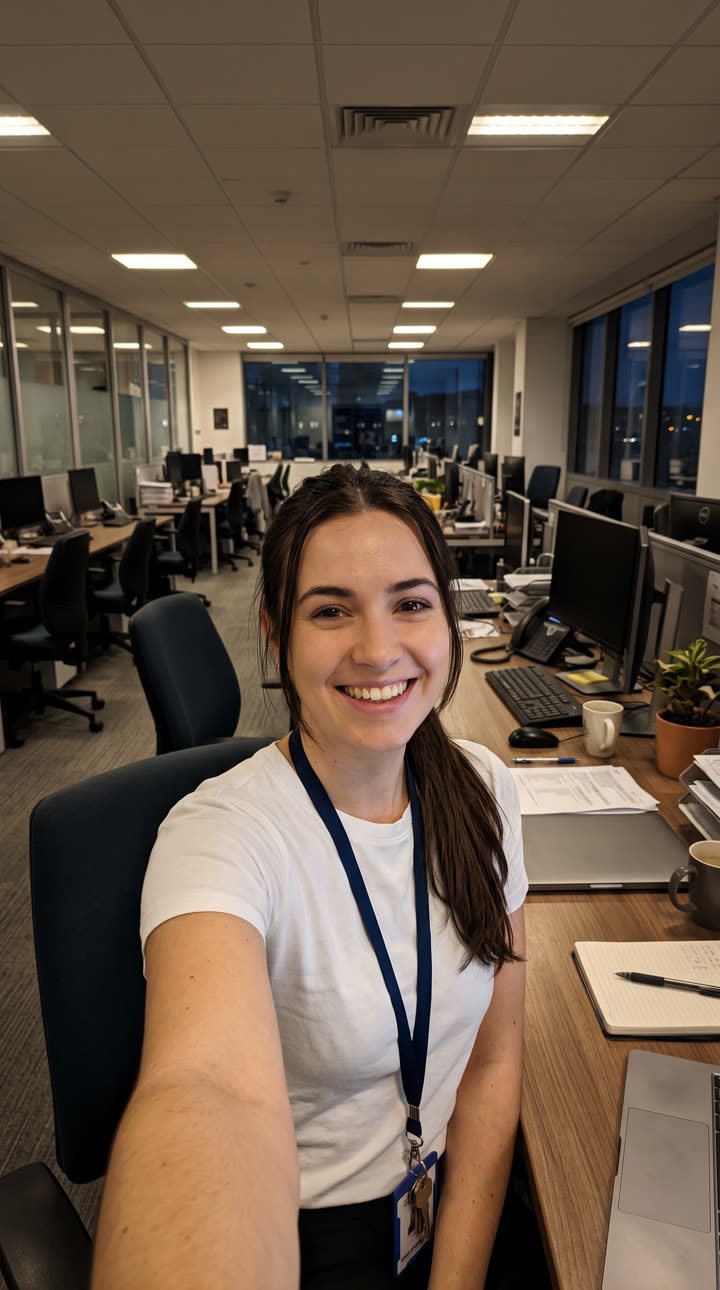
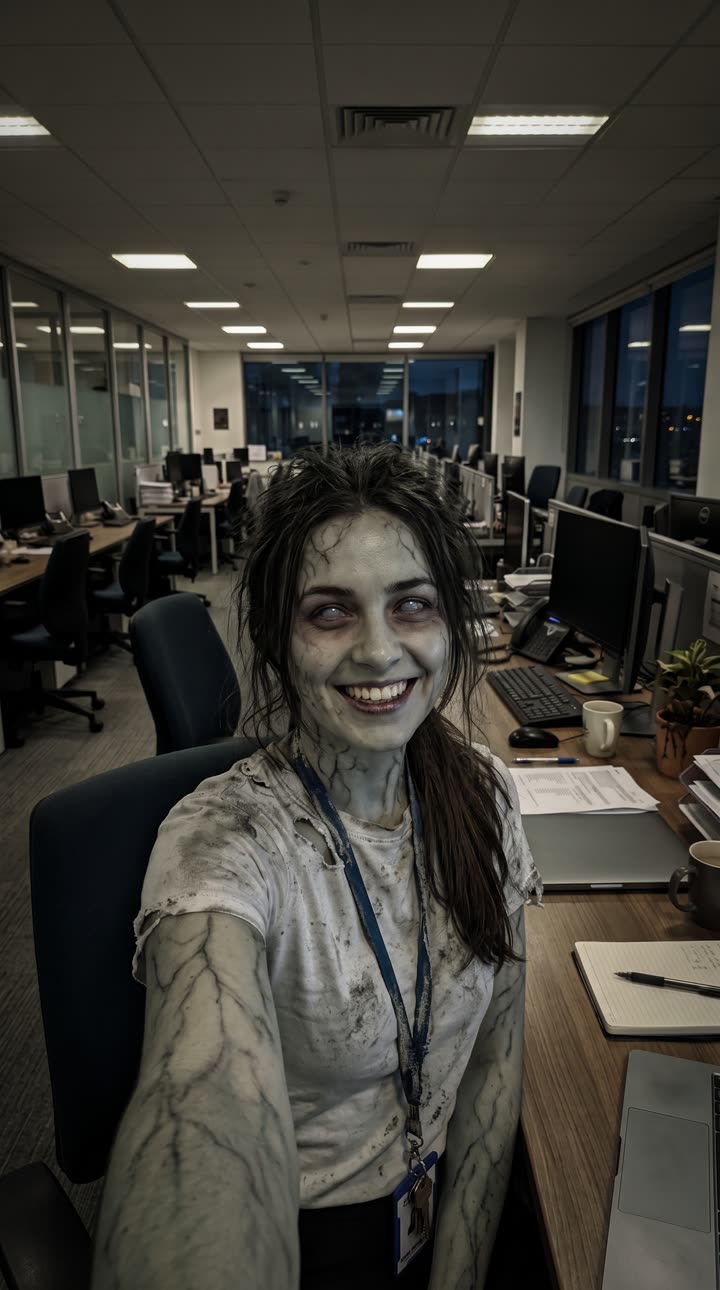
Zombie
An office selfie, and its zombie frame: grey skin, dark veins, clouded eyes, the same lanyard and desk.
 Your photo
 Result
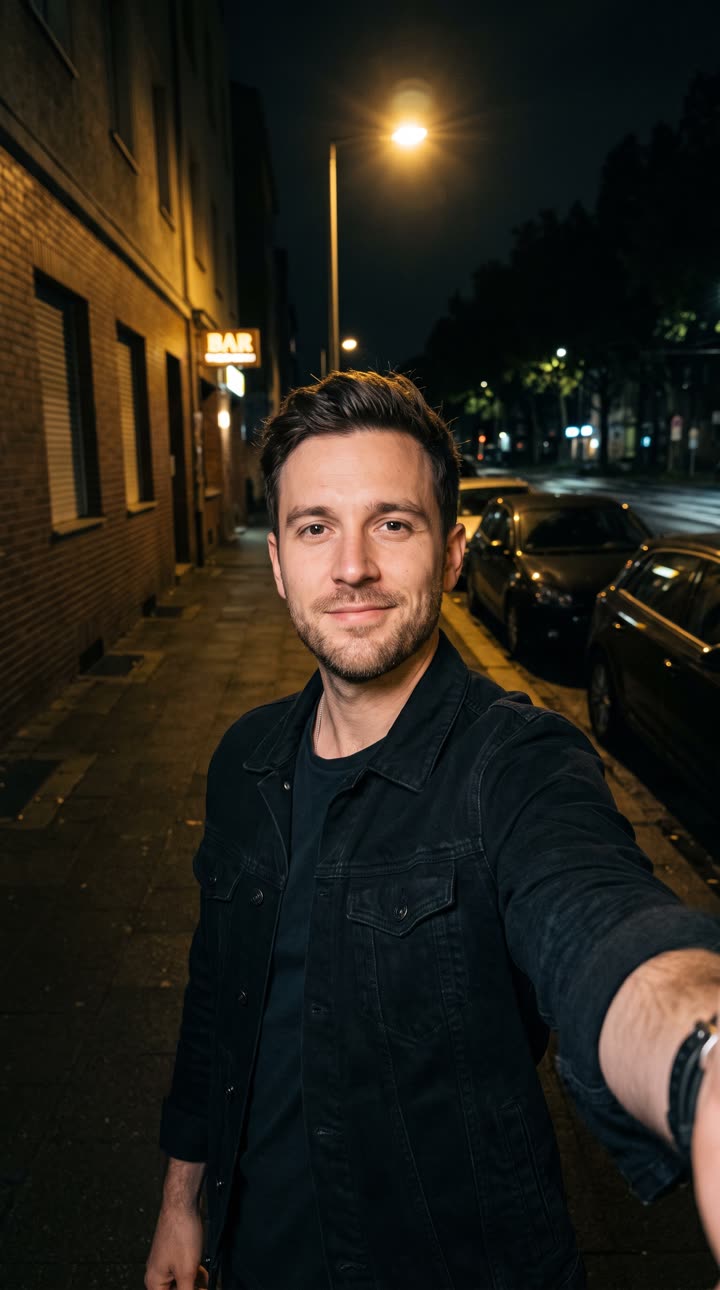
Werewolf
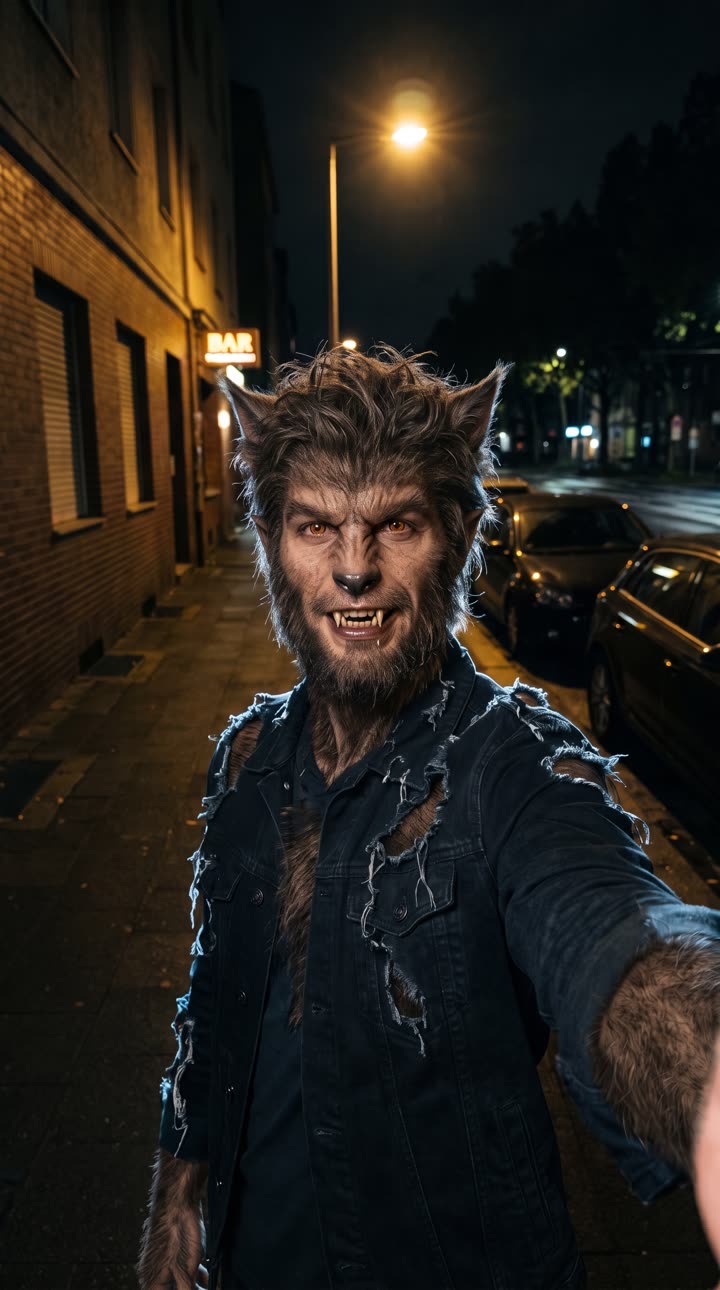
A night street selfie, and its werewolf frame: fur, muzzle, amber eyes.
 Your photo
 Result
Pumpkin head
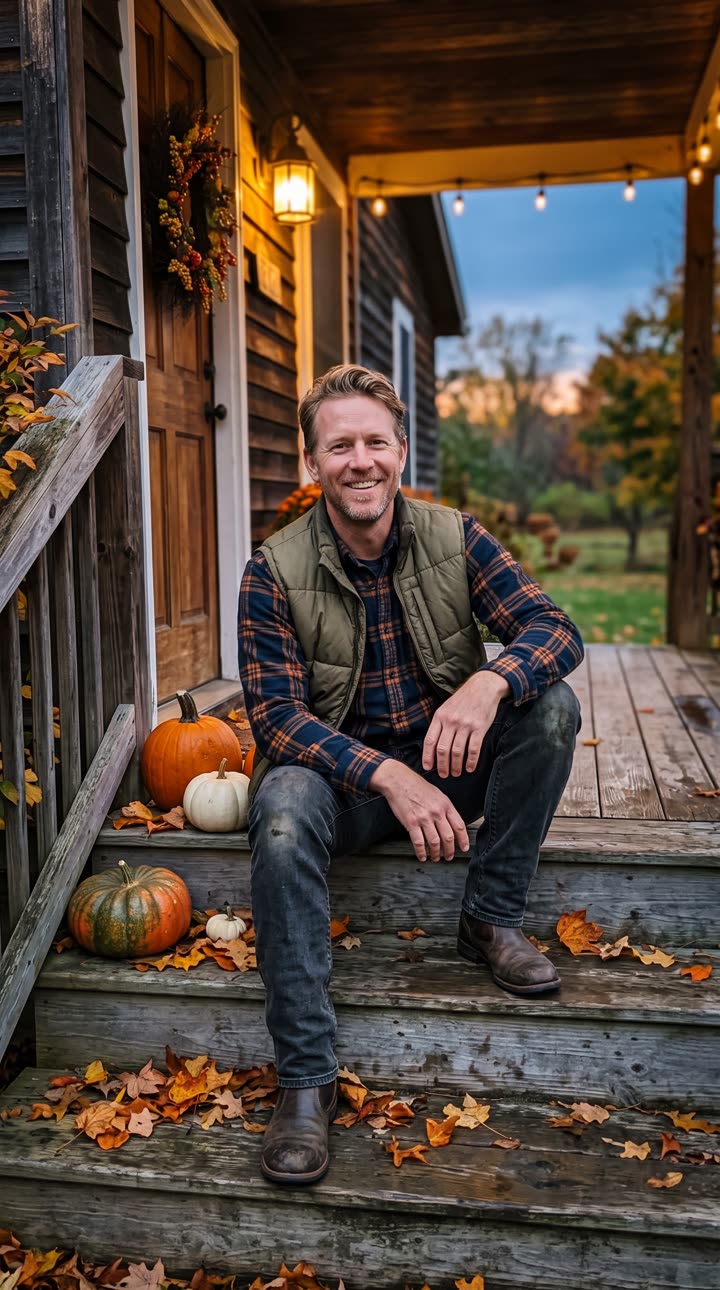
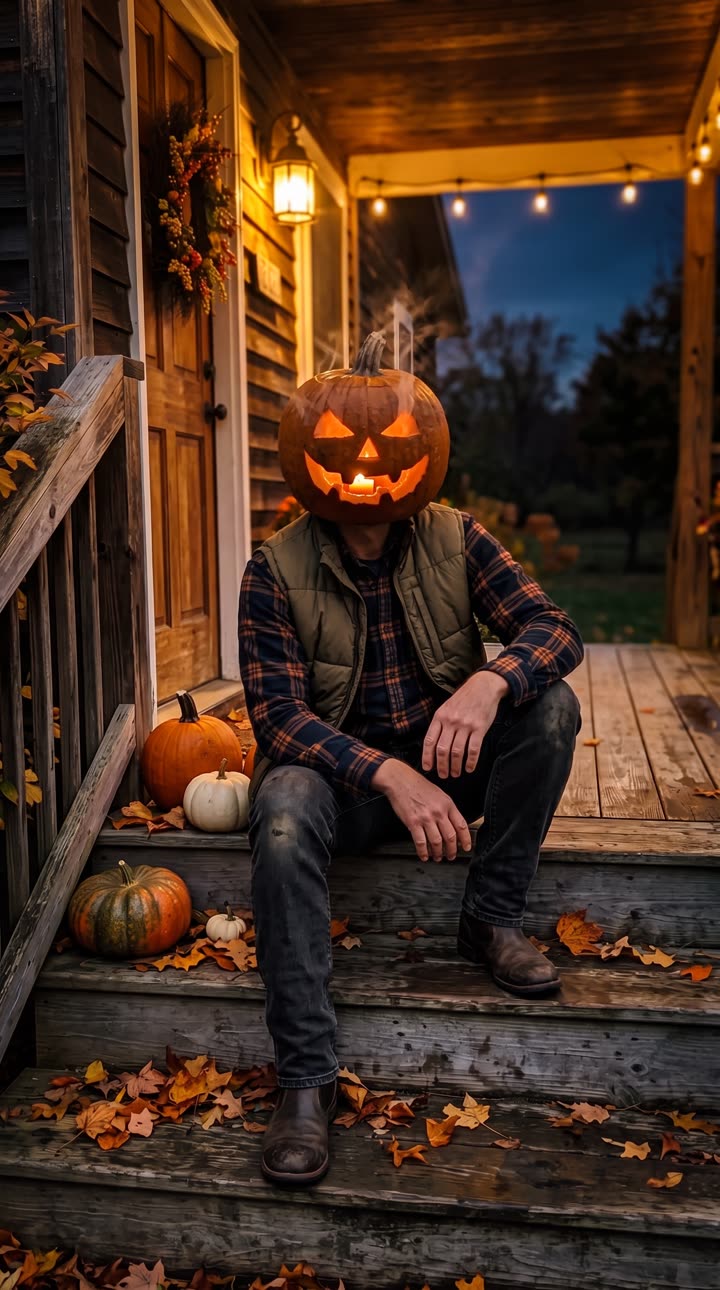
A porch photo, and its jack-o'-lantern frame, candle glowing inside.
 Your photo
 Result
Ghost bride
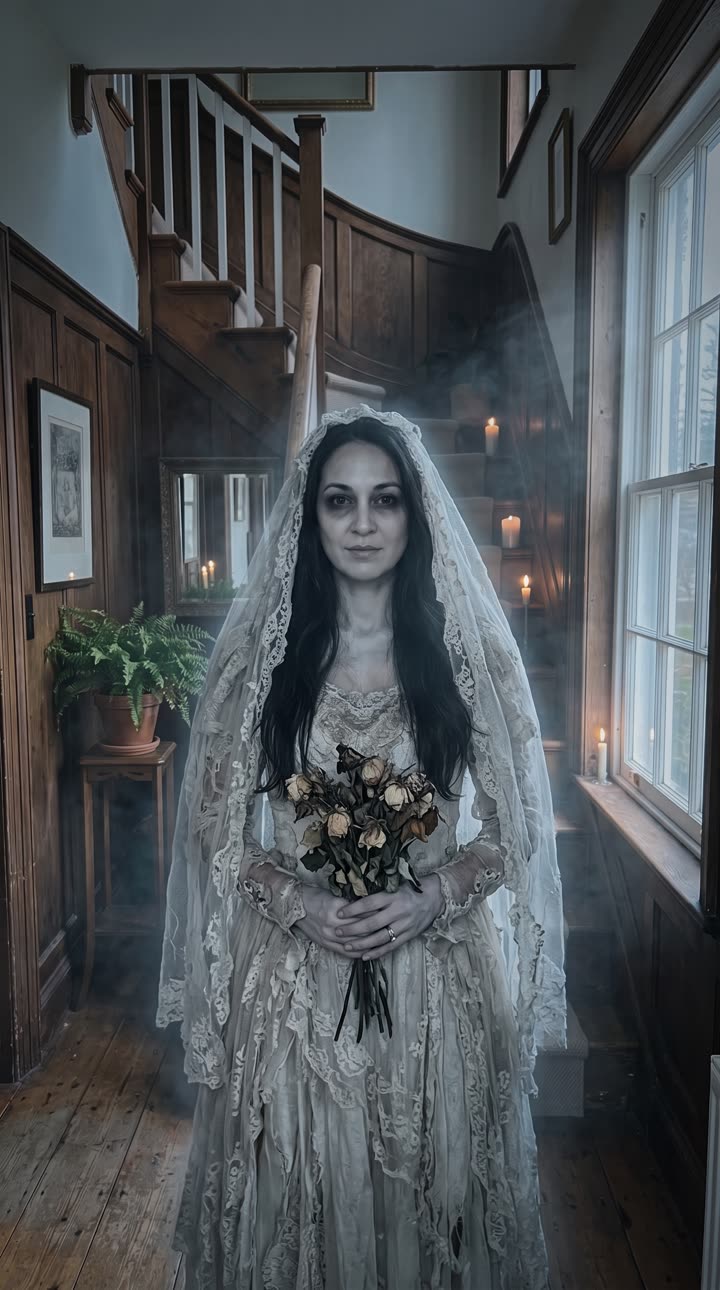
A hallway portrait, and its ghost-bride frame: lace veil, withered bouquet, candles on the stairs.
02The trend
What Is the Halloween Transformation Trend?
The Halloween transformation is a short vertical video where someone starts as themselves and, usually on a beat drop, becomes a monster: a zombie, a werewolf, a vampire, a witch, a skeleton. For years it meant makeup, a costume and a jump cut between two takes. In 2025, Google searches for "AI Halloween trend" rose through late September and early October and had all but stopped by November, so the window is the few weeks before October 31.
AI turned it into a one-photo edit, but single-prompt tools often blur the change or jump to a stranger. This maker draws the "after" image from your photo first (same pose, framing and background), then films a continuous transformation from your photo to it, with a soundtrack to match each monster.
03How to make it
How to Make a Halloween Transformation Video
- 01
Pick a transformation
Zombie, werewolf, pumpkin head or ghost bride. Ghost prank and horror POV are here too, for a scare instead of a change.
- 02
Upload one photo
A clear photo of one face, looking toward the camera. JPG, PNG or WebP, cropped to vertical 9:16.
- 03
Generate, download, post
About 3 to 8 minutes for a 7-second, 720p vertical MP4 with sound.
04The effects
Six Halloween Effects, One Photo
Zombie
Grey skin, dark veins, clouded eyes and a groan. Horror makeup without the makeup, and no blood.
Werewolf
Fur, a stretching muzzle, amber eyes and a howl at the end.
Pumpkin head
The face carves itself into a glowing jack-o'-lantern.
Ghost bride
A pale bride in a torn lace veil, candles and an out-of-tune music box.
Horror POV
You in a flashlight found-footage scene, with a shadow behind you.
Ghost prank
Your real photo, with a grey ghost creeping up over your shoulder.
05Questions
Halloween Transformation Video FAQ
Pick an effect, upload one clear photo and generate. The video starts on your photo and transforms into the monster in one continuous shot, with sound, in about 3 to 8 minutes.
142 credits for a transformation (zombie, werewolf, pumpkin head, ghost bride) or horror POV, and 140 for the ghost prank. The Weekly Pass ($6.99, 150 credits, cancel anytime) covers one; a one-time $9.99 pack gives 250 credits.
Not here: every video is a paid render. Failed renders are refunded automatically.
No. The monster look is drawn from your photo, so any ordinary, well-lit photo of your face works.
Yes. Each effect has its own: a groan for the zombie, a howl for the werewolf, a music box for the ghost bride.
Only with their permission, which you confirm before each render.
No. The effects are spooky, not gory, so they can be posted on TikTok, Reels and Shorts.
06More effects
Each Halloween Effect on Its Own Page
Tips and samples for every transformation.