The NEON dance trend · Two photos in
NEON AI Dance
2 fotos · 7 s · 9:16 · Sin sonido
Tus fotos
0/2
Una foto clara. Se recorta a formato vertical 9:16.
Video sin sonido · Sonido para añadir: NEON – A2O LITE
Tarda de 3 a 8 minutos. Si falla, te devolvemos los créditos.
Un fotograma hecho con este efecto. En el tuyo salen las personas de tus fotos.
Add a photo of each of you. AI puts you both in a bright white studio, one in front and one a step behind, then films the duo intro: the wide stance, the head flick, finger guns at the camera, a spin with a high kick and the high-and-low pose. 7 seconds, vertical and silent: add the trend's sound when you post.
- Both of you, in your own clothes
- The duo intro, full body, one shot
- Silent, ready for the trend's sound
01Made with this generator
NEON AI Dance Videos Made From Two Photos
A man in a white hoodie and a woman in charcoal grey
Made from the two photos below. Both dance the duo intro in a white studio: the head flick, finger guns, a spin kick, then one stands tall while the other drops into a squat. A silent 7-second sample.
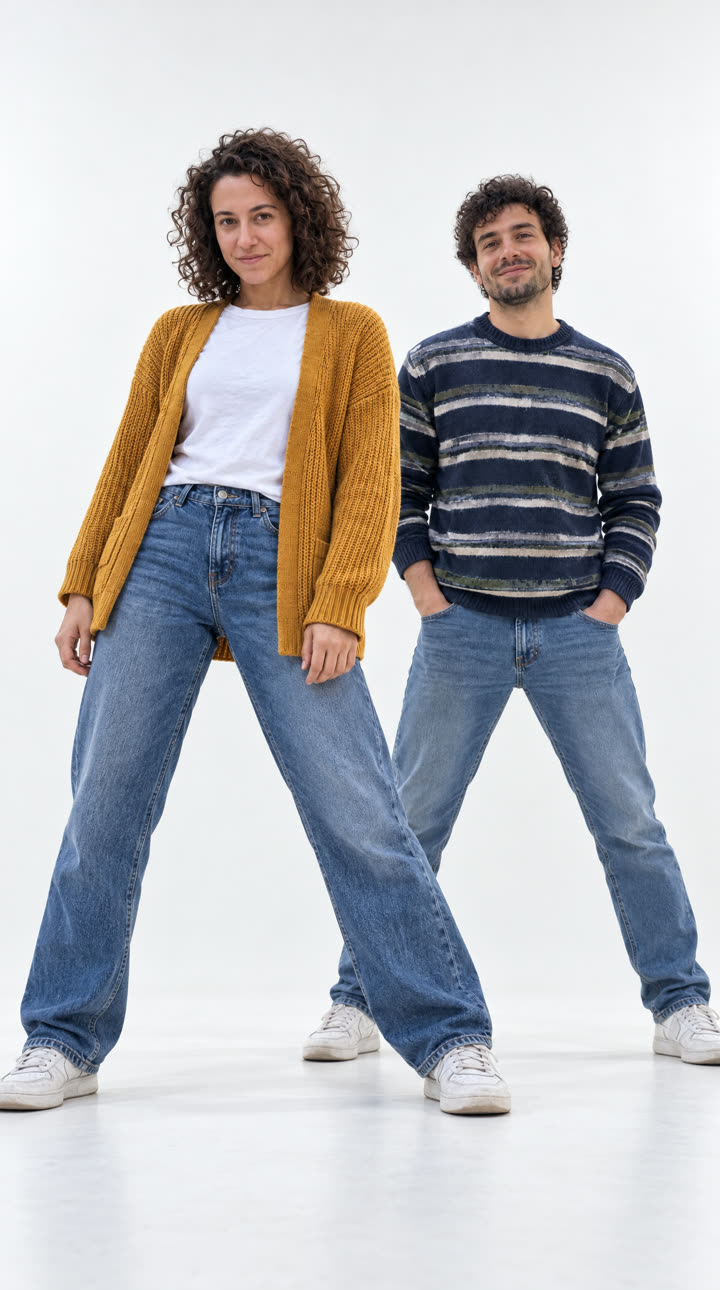
A woman in a mustard cardigan and a man in a striped sweater
Made from the two photos below. Both dance the duo intro in a white studio: the head flick, finger guns, a spin kick, then one stands tall while the other drops into a squat. A silent 7-second sample.
A woman in a camel coat and a man in a red track jacket
Made from the two photos below. Both dance the duo intro in a white studio: the head flick, finger guns, a spin kick, then one stands tall while the other drops into a squat. A silent 7-second sample.
02Before and after
From Two Photos to the Opening Shot
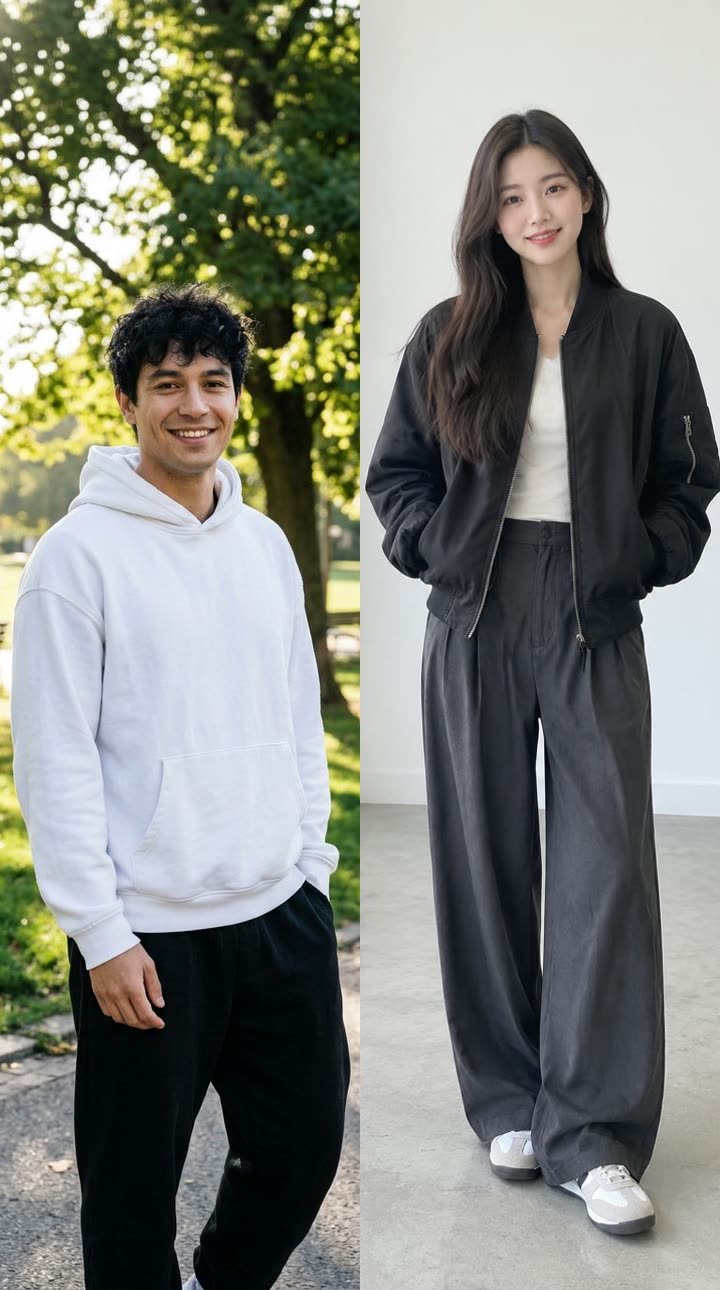 Your photos
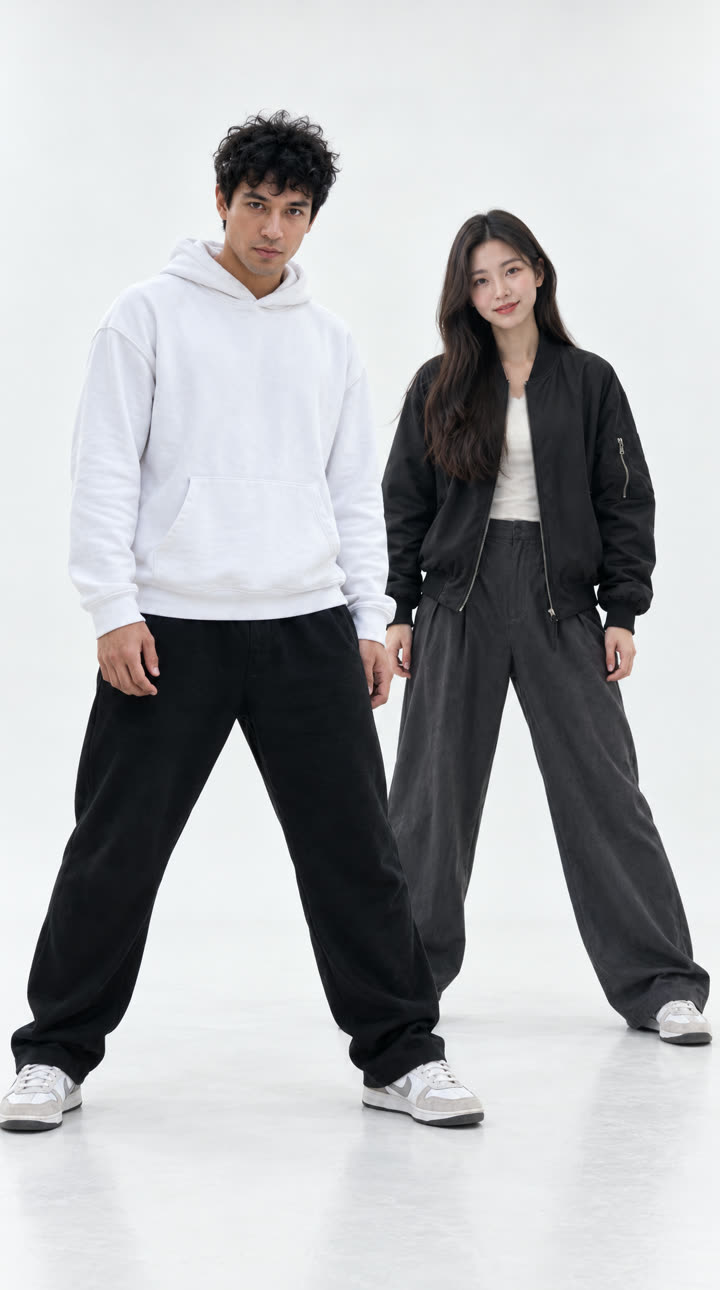 Opening frame
A man in a white hoodie and a woman in charcoal grey
The two photos that went in (photo 1 in front on the left, photo 2 a step behind on the right), and the opening frame drawn from them: the same faces, hair and clothes in the wide opening stance in a white studio.
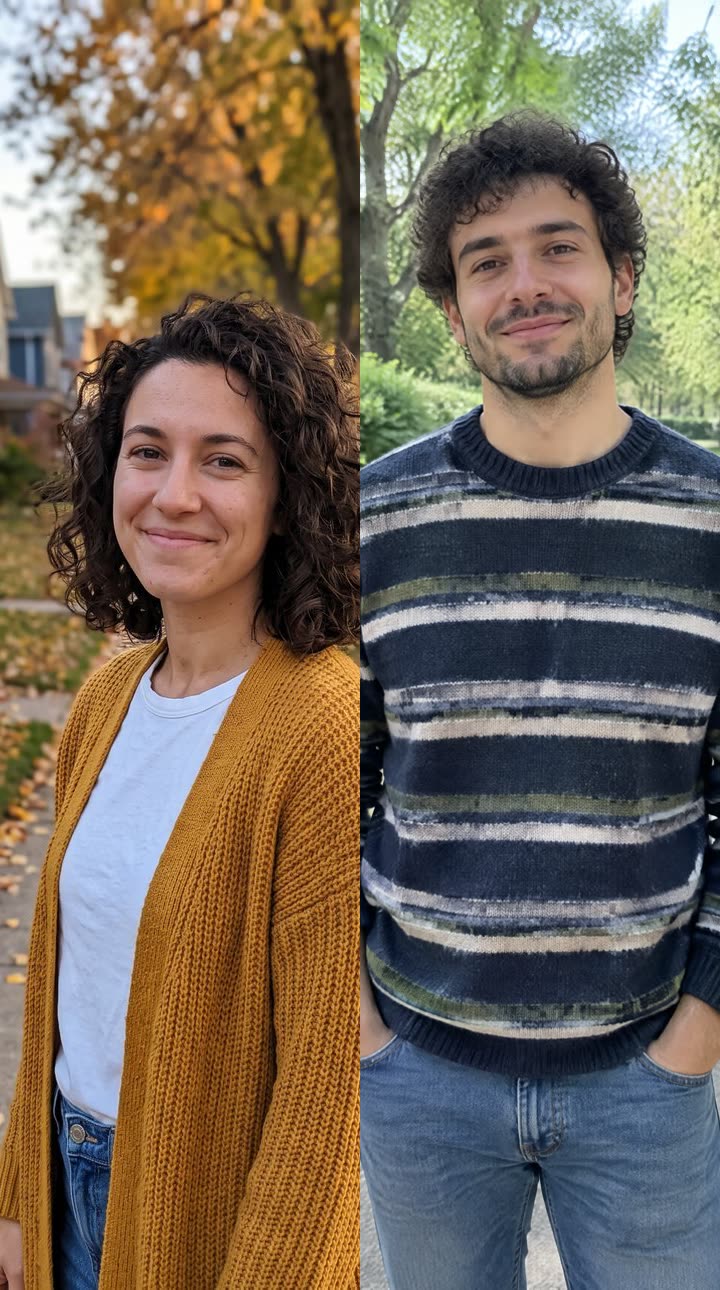 Your photos
 Opening frame
A woman in a mustard cardigan and a man in a striped sweater
The two photos that went in (photo 1 in front on the left, photo 2 a step behind on the right), and the opening frame drawn from them: the same faces, hair and clothes in the wide opening stance in a white studio.
 Your photos
 Opening frame
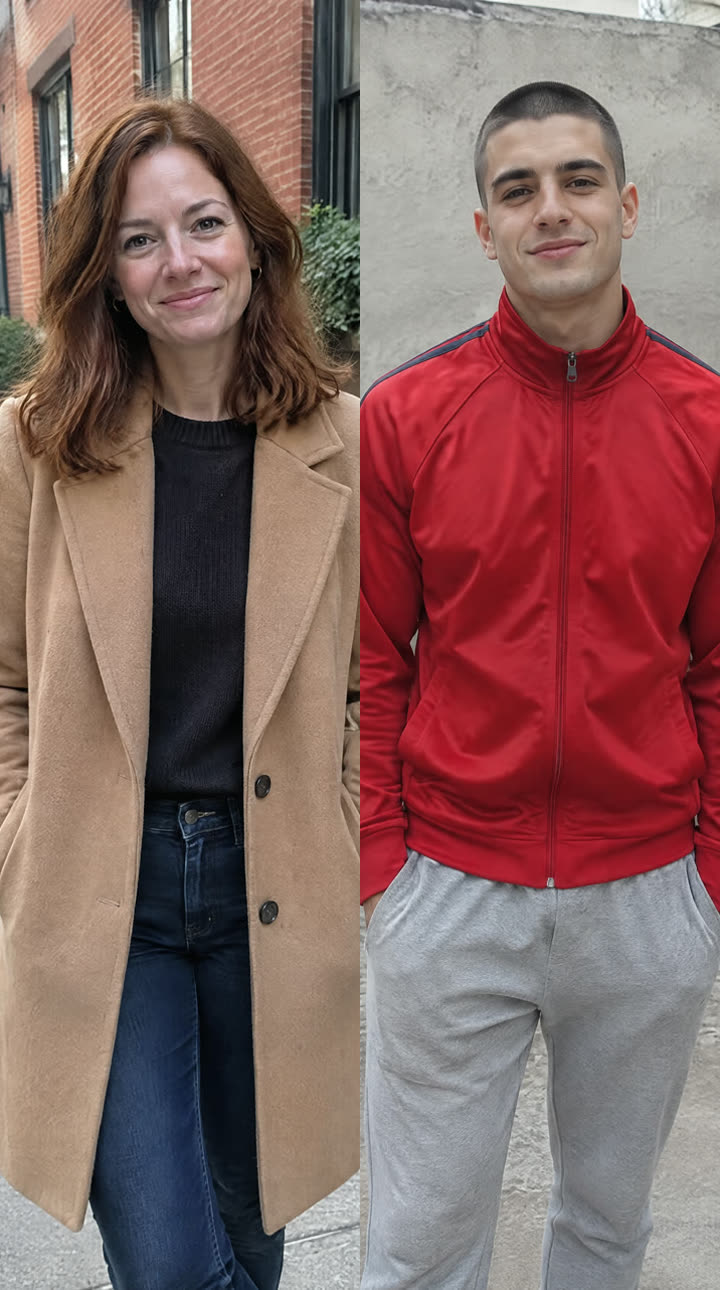
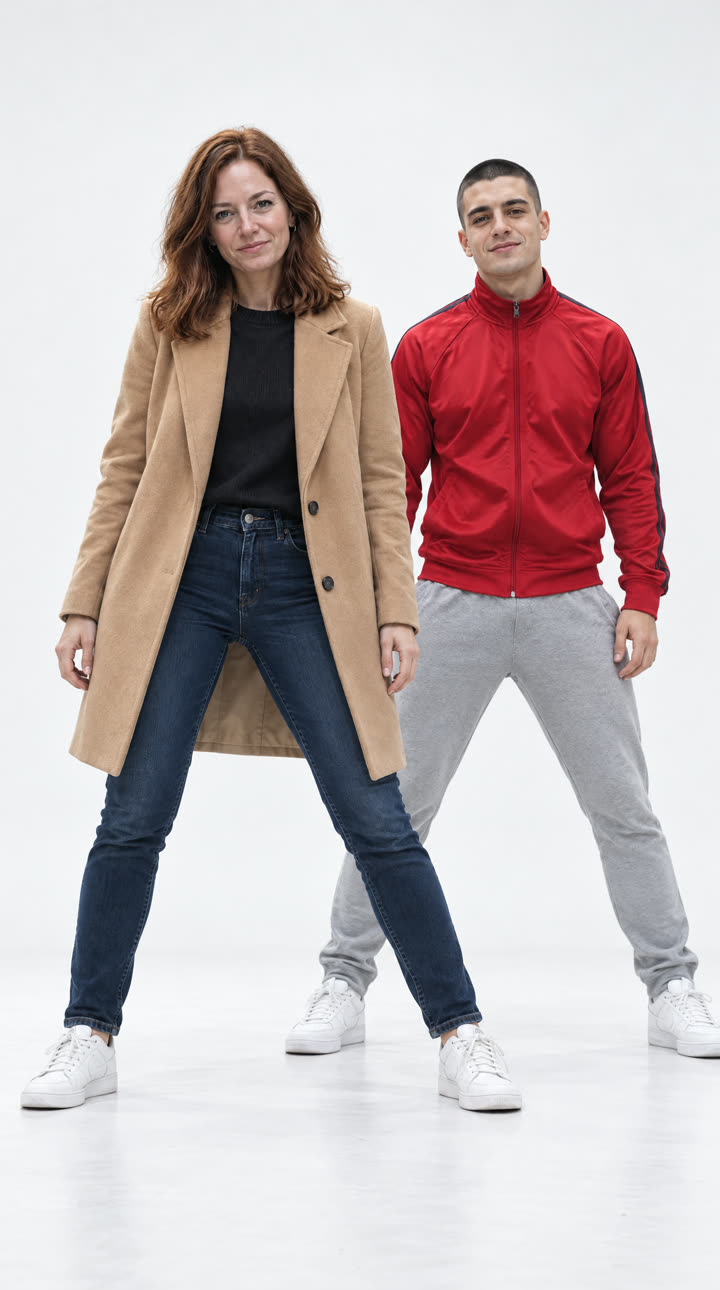
A woman in a camel coat and a man in a red track jacket
The two photos that went in (photo 1 in front on the left, photo 2 a step behind on the right), and the opening frame drawn from them: the same faces, hair and clothes in the wide opening stance in a white studio.
03The trend
What Is the NEON AI Dance Trend?
“NEON” is the debut single of the K-pop group A2O LITE, released on 13 October 2026. The song opens with a duo: two dancers, one a step behind the other, in a wide stance, then head flicks, finger guns, a spin with a high kick and a final pose with one standing tall and one in a deep squat. Within days people were putting themselves, couples, film characters and pets into that intro with AI.
This generator makes the duo intro from two photos. An image model first draws both of you in a seamless white studio in the opening stance, photo 1 in front on the left and photo 2 a step behind on the right, keeping your faces, hair and clothes; then a video model films the routine from a fixed low camera, full body. The clip is silent, so you add the trend's sound when you post.
The choreography is generated, not copied, and the clip does not use the original recording, the music video or anyone’s dance cover. Dimly is an independent tool and is not affiliated with A2O LITE, A2O Entertainment or anyone connected to the song.
04How to make it
How to Make a NEON AI Dance Video
- 01
Upload two photos
One photo of each person, face toward the camera, knees up or full body. Photo 1 dances in front on the left, photo 2 a step behind on the right. JPG, PNG or WEBP; each is cropped to vertical 9:16.
- 02
Generate
The opening shot is drawn first, then the dance is filmed from it. About 3 to 8 minutes; you can leave the page.
- 03
Download and post
A 7-second, 720p vertical MP4 without sound. Add the song in TikTok, Reels or CapCut when you post.
05Why this generator
The NEON AI Dance Clip, Starring You
A duo, like the intro
Two photos, two dancers, each with their own face, hair and clothes, in the same places from the first beat to the last.
The moves people copy
The wide stance, the head flick, finger guns, the spin kick and the high-and-low pose, in one full-body shot in a white studio.
Silent, ready for the real sound
The clip has no audio track, so the trend's sound you pick in TikTok, Reels or CapCut plays clean over it.
Pay per video, refunded on failure
144 credits, shown on the button before you start. If a render fails, the credits go back automatically.
06Template or photo
NEON AI Dance: This Generator vs. a Video Template
- Who is in the shotYou and a friend, from two photosYou, filmed in an editing app
- What you needTwo photosA video of yourselves and an app
- SoundNone: you add the trend's sound when you postDepends on the template
- Output7-second 9:16 MP4 at 720pDepends on the app
- Cost144 credits per videoPer the app's pricing
07Questions
NEON AI Dance FAQ
Add a photo of each of you and generate. AI draws you both in a white studio and films the NEON duo intro: a 7-second silent vertical video, ready for the trend's sound.
No. The video is silent. The song belongs to its artists and label, so we neither include it nor imitate it. When you post, pick the trend's sound in TikTok, Reels or CapCut. Moves and mouth shapes are not timed to the original recording.
Download the MP4, upload it in TikTok, Reels or CapCut, tap Add sound and pick the trend's sound, then line its first beat up with the start of the clip. Posting with the trend's own sound also puts your video on that sound's page.
This effect is the duo intro, so it takes two photos. You can use two photos of the same person for a mirror-twin version, though the faces may come out alike.
No. Add one photo per person: photo 1 dances in front, photo 2 a step behind. A photo with both of you in it can mix up the faces.
144 credits per video. The Weekly Pass ($6.99, 150 credits, cancel anytime) covers one, or a one-time $9.99 pack gives 250 credits. Failed renders are refunded.
Free to start: planning, a quote and your first 6 images. Video renders use credits, and this effect costs 144 credits. Failed renders are refunded.
A 7-second vertical (9:16) MP4 at 720p without sound, made for TikTok, Reels and Shorts, where you add the trend's sound.
No. Dimly is an independent tool. It is not affiliated with A2O LITE, A2O Entertainment or the song, and it uses no original footage, recording or logos.
You must upload only photos of yourself or of people who have agreed to appear. Do not upload photos of others without their permission.
08More effects
More Song Trend Videos
Other song-driven videos made from your photos.