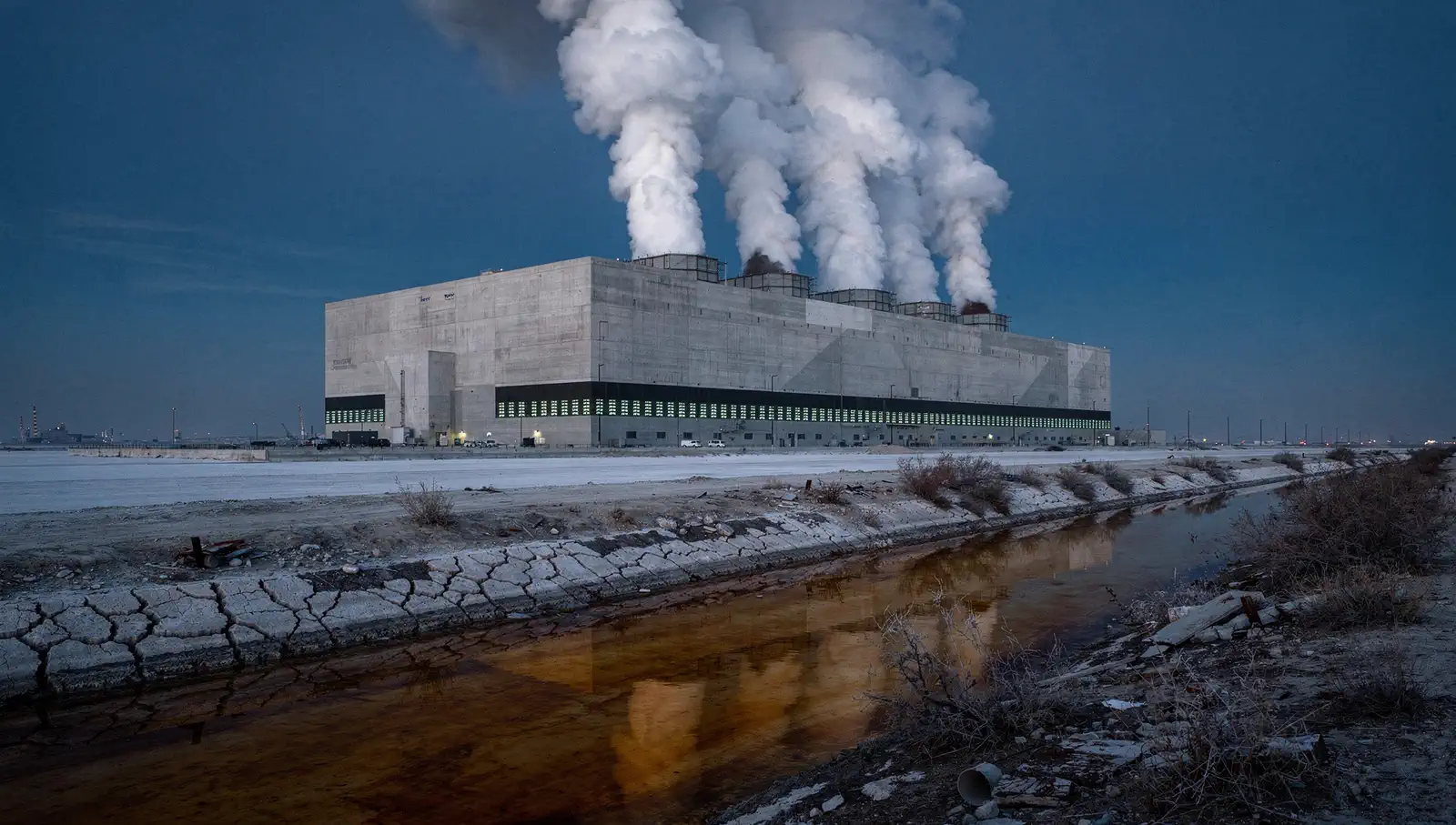
Buzz cut try-on · One photo in
AI Buzz Cut Filter
写真1枚 · 7秒 · 9:16 · 音あり
あなたの写真
はっきり写った写真を使用してください。縦型9:16にクロップされます。
約3〜8分。失敗した場合はクレジットを返却します。
このエフェクトで作った画像です。あなたの動画には写真の人物が登場します。
Add one photo. AI draws you with a clean buzz cut, then films the reveal: electric clippers run over your head, the hair falls to your shoulders, and you finish running a hand over the new cut. 7 seconds, vertical, with the clipper buzz. See if the buzz cut suits you before you shave.
- Your own face, hairline and head shape
- The clipper reveal, one shot
- The finished cut, as the last frame
01Made with this generator
AI Buzz Cut Filter Videos Made From One Photo
A woman with long red hair
Made from the photo below. Clippers sweep over her head, the long hair falls away and she ends on an even buzz cut. A 7-second sample.
02Before and after
From One Photo to the Buzz Cut
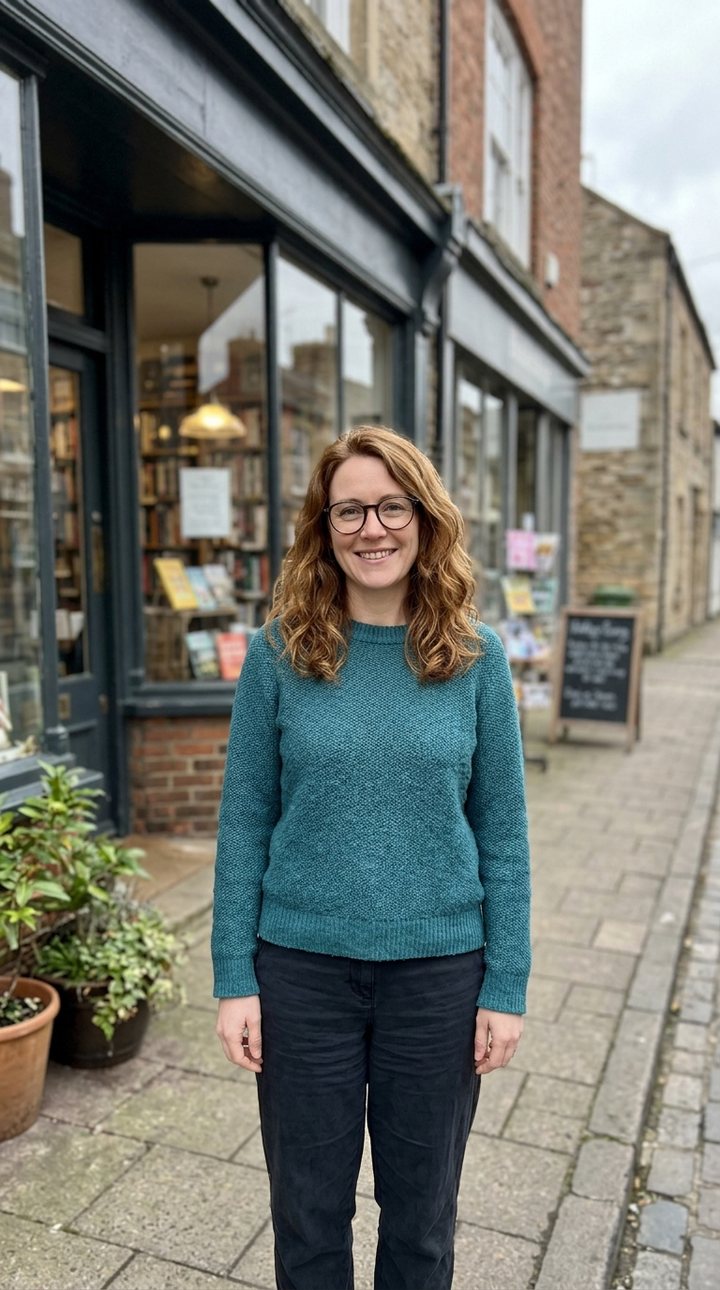 Your photo
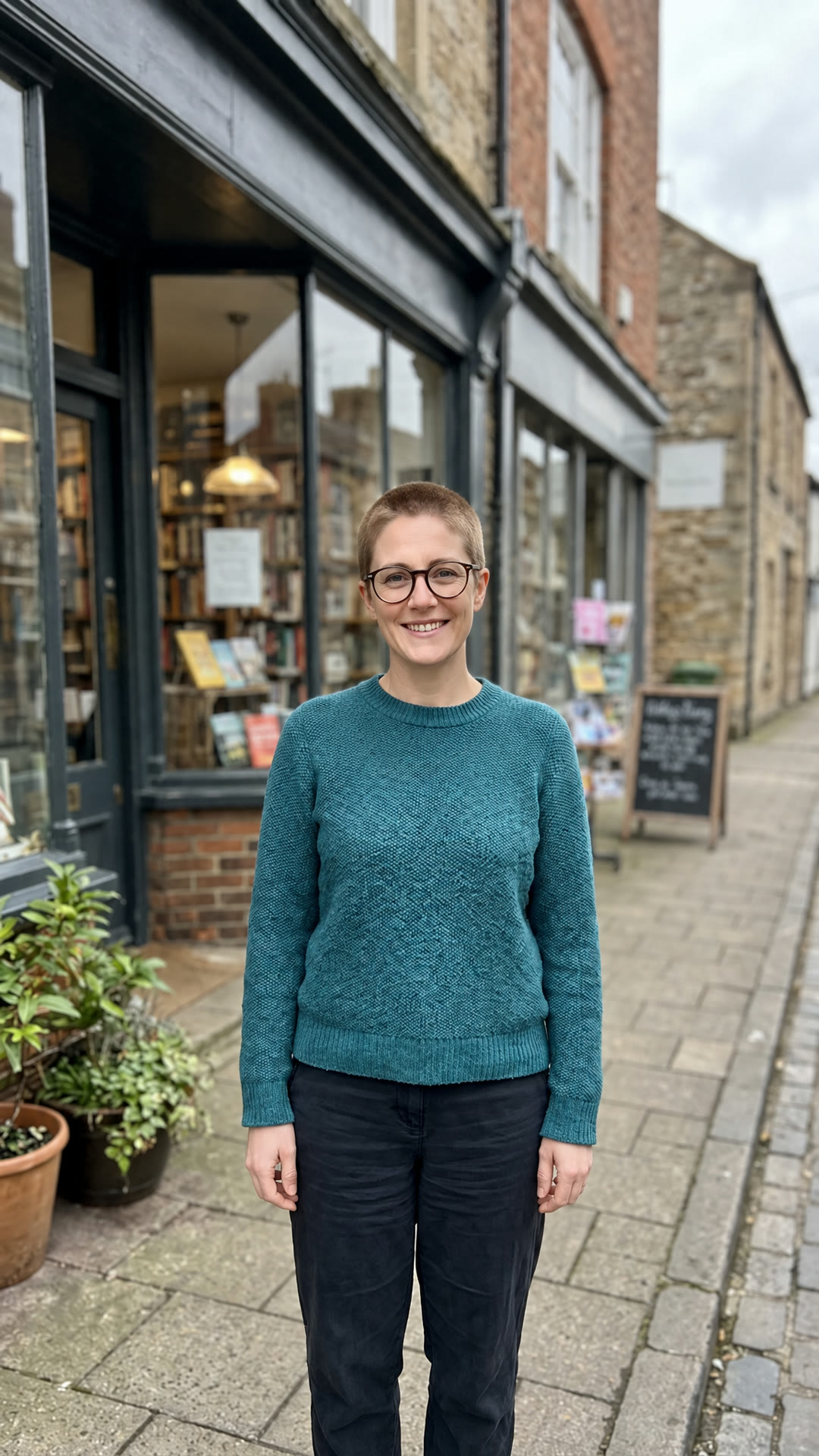 Last frame
A woman with long red hair
The photo that went in, and the last frame drawn from it: the same face, expression, clothes and background, with an even buzz cut.
03The trend
What Is the AI Buzz Cut Filter Trend?
The buzz cut filter shows you with hair clipped to a few millimetres. It started as a TikTok AR effect, and people use it to test whether their head shape suits a buzz cut before shaving, or to film their friends' reactions. The AR version lays a generic short-hair overlay on your face; AI versions redraw your own hairline and head shape, which looks far more real.
This generator goes one step further and makes a video. An image model first redraws your photo with a buzz cut, keeping your face, pose and background; then a video model films the change from your real photo to that frame: clippers sweep in, locks of hair fall away, and you touch the new cut. The clip has the clipper sound built in.
It is a preview, not a promise: real hair grows, swirls and shows your scalp differently. Use it to decide, then ask your barber.
04How to make it
How to Use the AI Buzz Cut Filter
- 01
Upload a photo
One clear photo, face toward the camera, hair visible, no hat. JPG, PNG or WEBP; it is cropped to vertical 9:16.
- 02
Generate
The buzz cut frame is drawn first, then the reveal is filmed from your photo to it. About 3 to 8 minutes; you can leave the page.
- 03
Download and post
A 7-second, 720p vertical MP4, ready for TikTok, Reels and Shorts.
05Questions
AI Buzz Cut Filter FAQ
Add one photo and generate. AI draws you with a buzz cut and films the clipper reveal from your real photo to the new look: a 7-second vertical video.
The last frame of the video is the full buzz cut picture: pause it or take a screenshot. The video is the part a still filter cannot give you.
Yes. Long hair falls away during the reveal. A photo with your hairline visible gives the most accurate buzz cut.
Yes. It keeps your face, hairline and head shape, whoever you are.
144 credits per video. The Weekly Pass ($6.99, 150 credits, cancel anytime) covers one, or a one-time $9.99 pack gives 250 credits. Failed renders are refunded.
Free to start: planning, a quote and your first 6 images. Video renders use credits, and this effect costs 144 credits. Failed renders are refunded.
A 7-second vertical (9:16) MP4 at 720p with the clipper sound, made for TikTok, Reels and Shorts.
Only photos of yourself or of people who have agreed to appear. Do not upload photos of others, including public figures, without their permission.
06More effects
More Photo Effects
Other transformations made from your photo.