Bald filter · One photo in
AI Bald Filter
사진 1장 · 7초 · 9:16 · 소리 있음
내 사진
선명한 사진을 올려 주세요. 세로 9:16으로 잘려요.
약 3~8분 걸려요. 실패하면 크레딧을 돌려드려요.
이 효과로 만든 장면이에요. 내 영상에는 내 사진 속 사람이 나와요.
Add one photo. AI draws you completely bald, with a real head shape and a shiny scalp, then films the change: your hair vanishes from the top down, the light glints off your head, and you touch it in disbelief. 7 seconds, vertical, with a comic ding. Made for reaction videos.
- Your own face, eyebrows and beard
- The vanishing-hair reveal, one shot
- A shiny bald last frame
01Made with this generator
AI Bald Filter Videos Made From One Photo
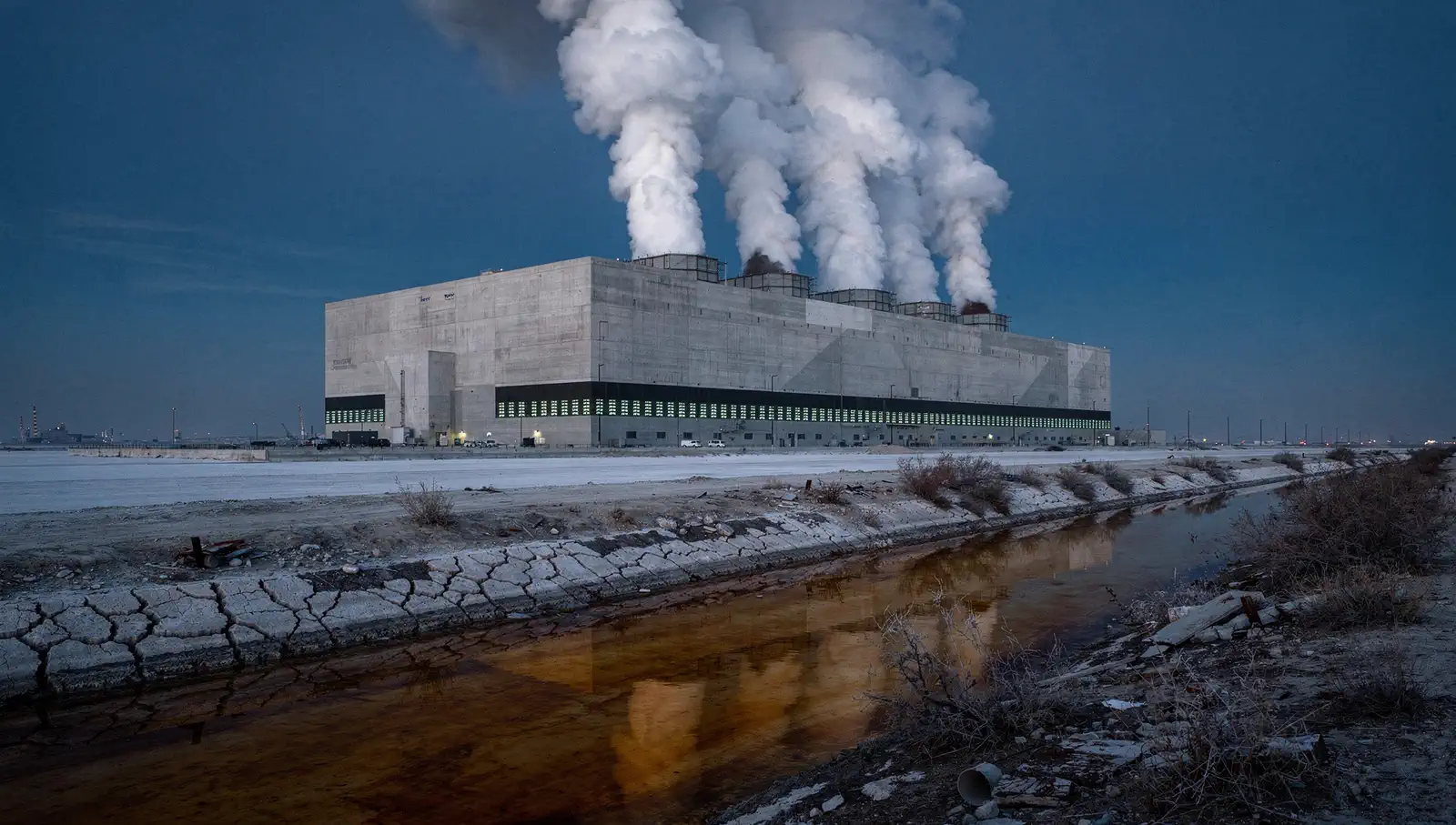
A woman in a mustard cardigan
Made from the photo below. The hair vanishes from the top down and ends on a shiny bald head. A 7-second sample.
02Before and after
From One Photo to Bald
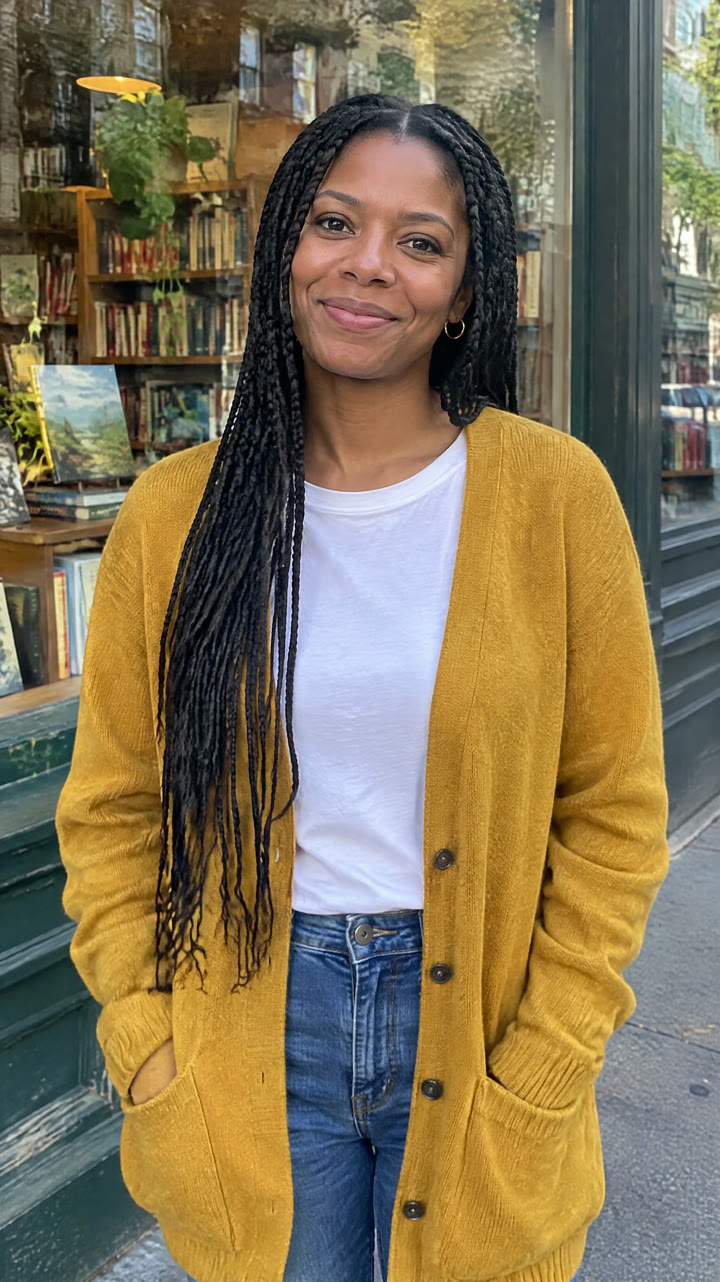 Your photo
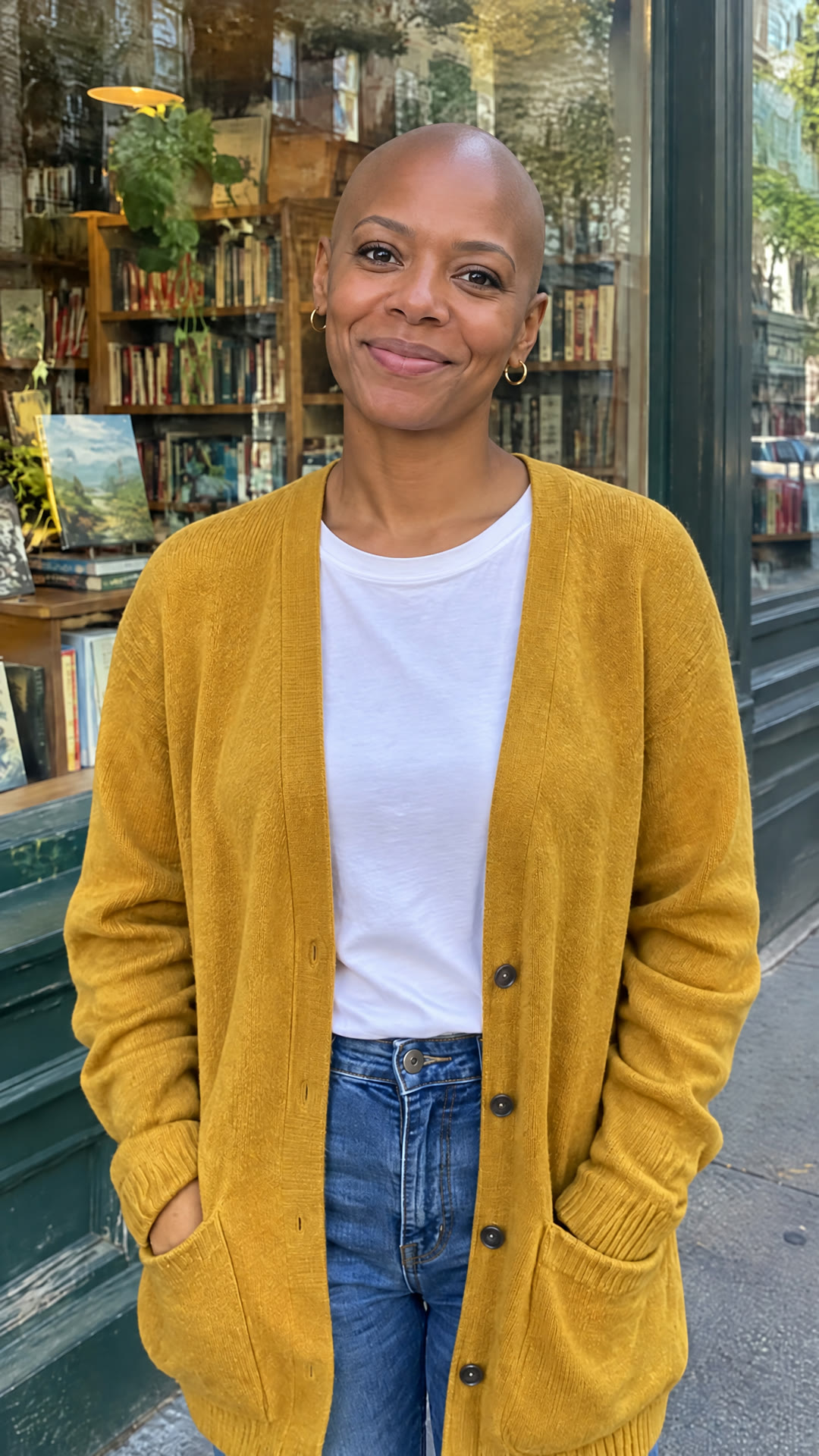 Last frame
A woman in a mustard cardigan
The photo that went in, and the last frame drawn from it: the same face, eyebrows, clothes and background, completely bald.
03The trend
What Is the AI Bald Filter Trend?
The bald filter shows you with no hair at all. On TikTok it is mostly a prank and a reaction format: people turn themselves or friends bald, post the before and after, and film the reaction. It comes back every Halloween and whenever someone jokes about a receding hairline. Older sticker filters had hard edges and fake light; AI versions redraw the head shape and the shine on the scalp.
This generator makes a video, not a sticker. An image model first redraws your photo bald, keeping your face, eyebrows, any beard, pose and background; then a video model films the change from your real photo to that frame, ending on you touching your new bald head. The clip has a comic whoosh and ding built in.
Only use photos of yourself or of friends who are in on the joke.
04How to make it
How to Use the AI Bald Filter
- 01
Upload a photo
One clear photo, face toward the camera, no hat. JPG, PNG or WEBP; it is cropped to vertical 9:16.
- 02
Generate
The bald frame is drawn first, then the reveal is filmed from your photo to it. About 3 to 8 minutes; you can leave the page.
- 03
Download and post
A 7-second, 720p vertical MP4, ready for TikTok, Reels and Shorts.
05Questions
AI Bald Filter FAQ
Add one photo and generate. AI draws you bald and films the hair vanishing from your real photo to the new look: a 7-second vertical video.
Yes. Only the hair on top of your head goes; eyebrows and any facial hair stay as they are.
Yes, if they are in on it: only upload photos of people who have agreed. Then post the clip and film their reaction.
The last frame of the video is the bald picture: pause it or take a screenshot.
144 credits per video. The Weekly Pass ($6.99, 150 credits, cancel anytime) covers one, or a one-time $9.99 pack gives 250 credits. Failed renders are refunded.
Free to start: planning, a quote and your first 6 images. Video renders use credits, and this effect costs 144 credits. Failed renders are refunded.
A 7-second vertical (9:16) MP4 at 720p with sound, made for TikTok, Reels and Shorts.
Only photos of yourself or of people who have agreed to appear. Do not upload photos of others, including public figures, without their permission.
06More effects
More Photo Effects
Other transformations made from your photo.